
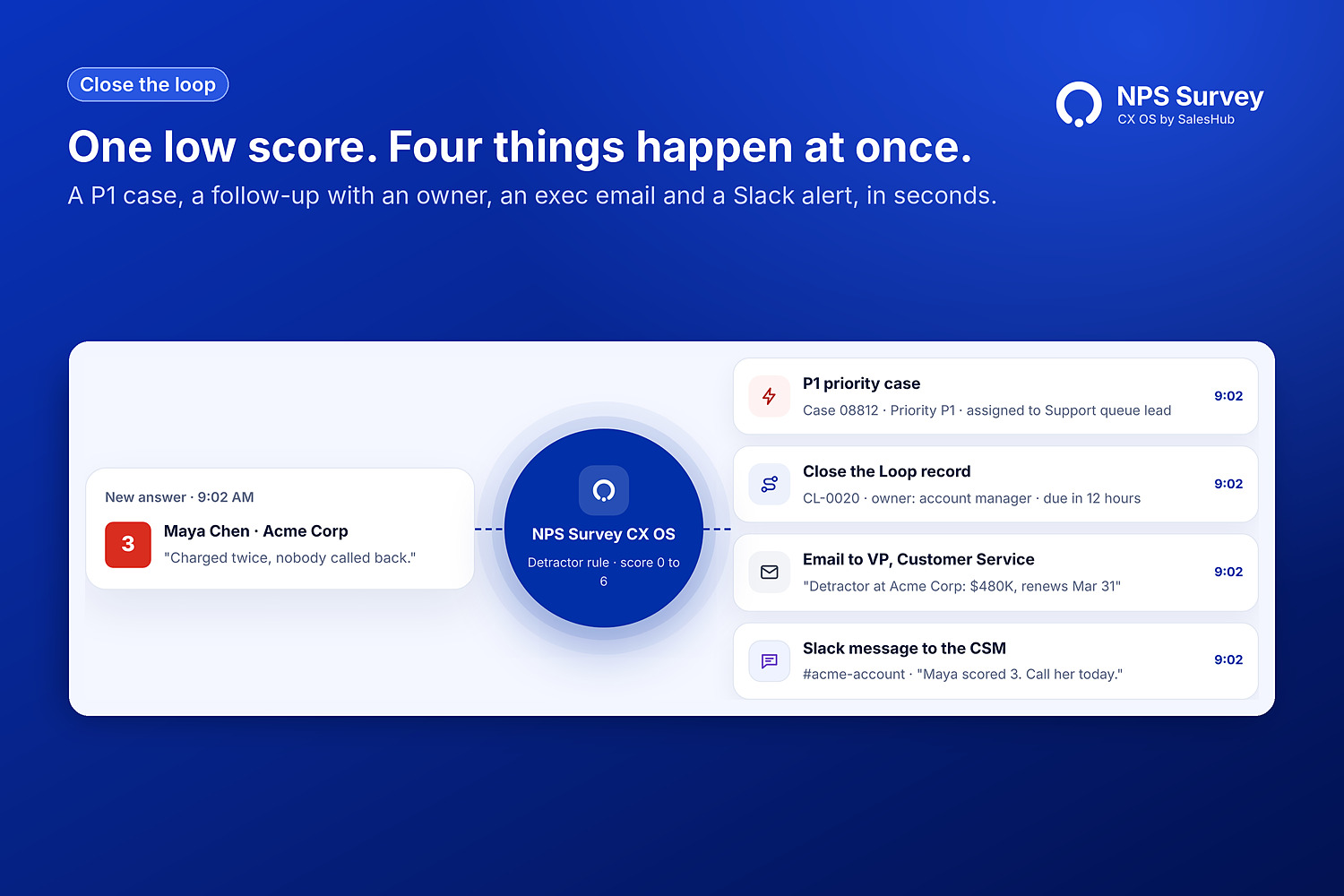
One low score. Four things happen at once.
The business problem
A customer gives you a 3. In most teams that answer waits in a report until someone reads it, and by then the customer may already be talking to a competitor.
How it works
- The answer lands on the Account, Contact or Case
- A detractor rule fires on a score of 0 to 6
- A P1 case, an owned follow-up, an email to the exec and a Slack alert go out together
- The owner calls, fixes it and closes the loop
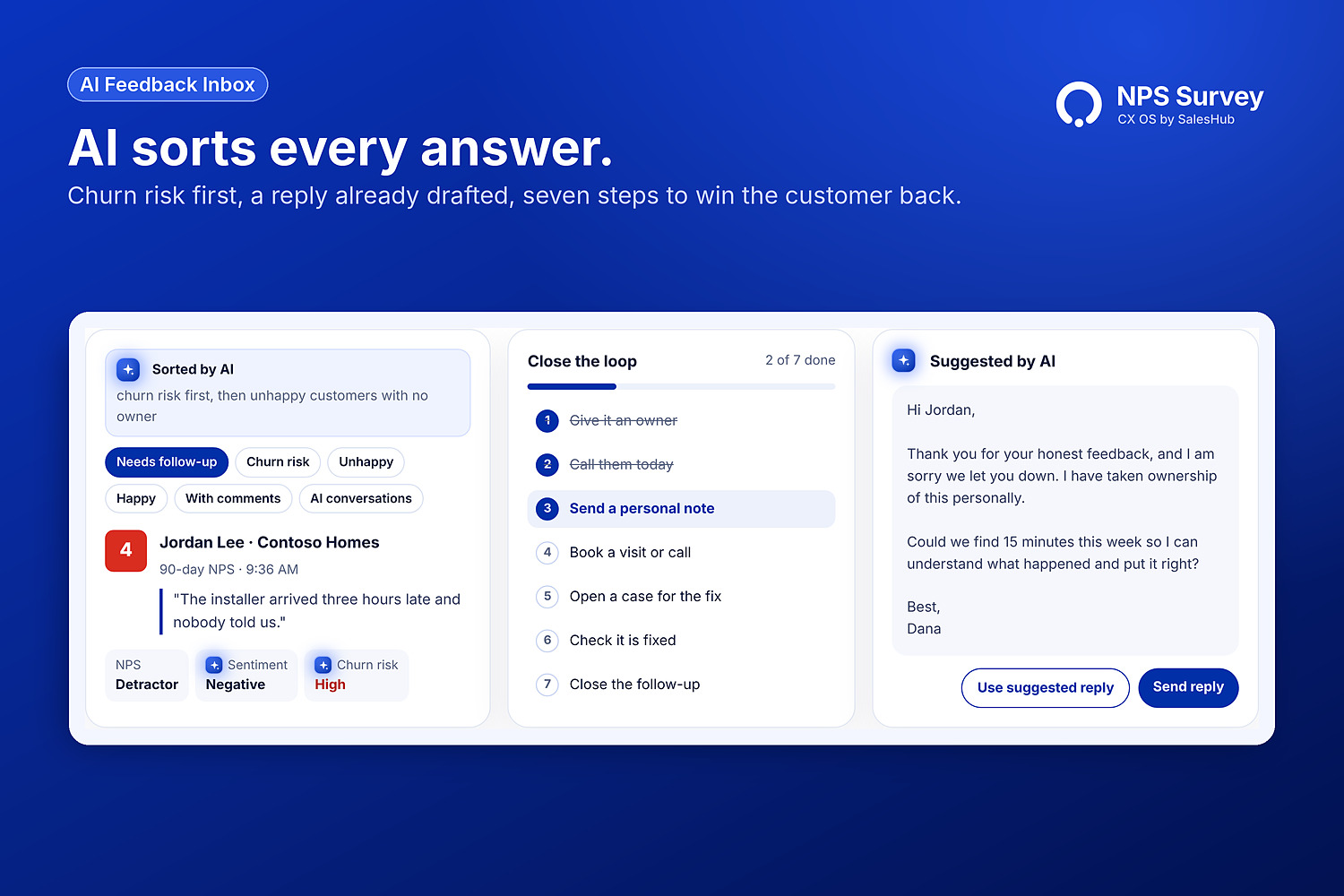
AI sorts every answer.
The business problem
Hundreds of comments arrive every week. Nobody has time to read them all, so the angriest customer can wait behind a happy one.
How it works
- AI reads each answer for sentiment and churn risk
- Unhappy customers with no owner rise to the top
- A personal reply is drafted for you
- Seven guided steps take it from owner to closed
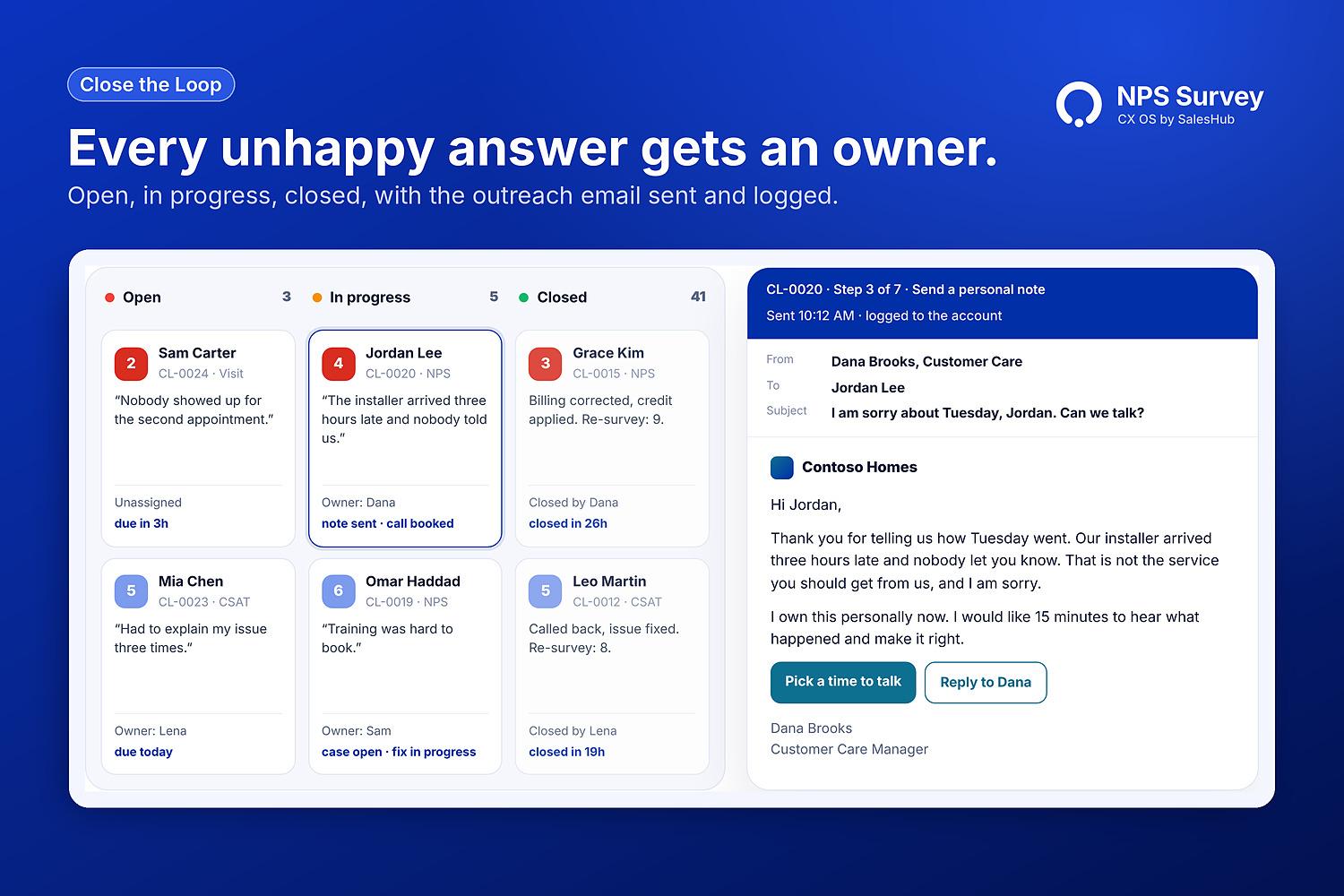
Every unhappy answer gets an owner.
The business problem
Follow-up lives in inboxes and spreadsheets. Managers can't see who owns what, or which customers were never called back.
How it works
- Each unhappy answer becomes a card: open, in progress, closed
- Every card has an owner and a due time
- The outreach email is sent from the card
- Every step is logged on the account
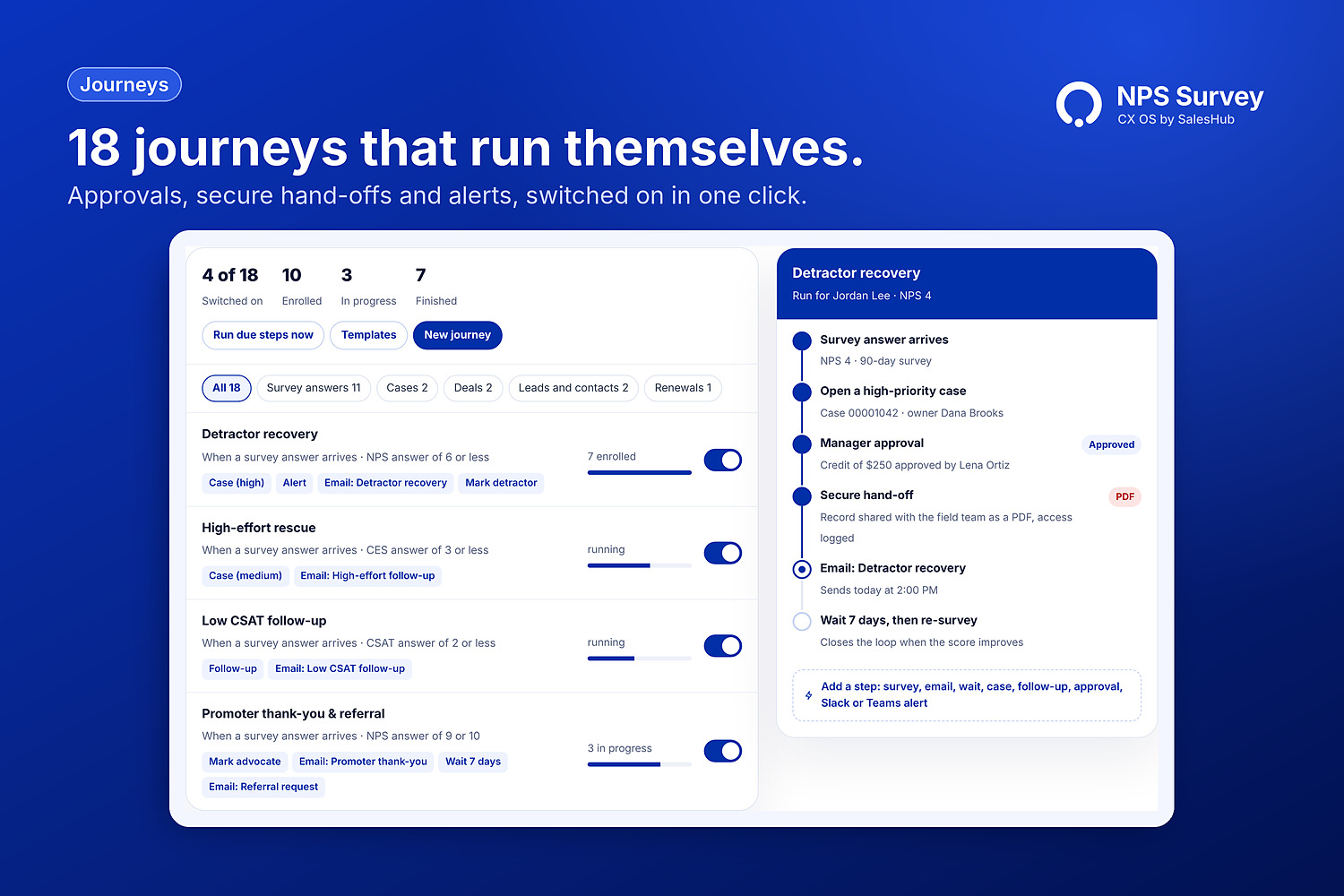
18 journeys that run themselves.
The business problem
Every follow-up scenario, from detractor recovery to promoter referrals, usually means another flow for your admin to build and maintain.
How it works
- Pick a ready-made journey: detractor recovery, high-effort rescue, low CSAT follow-up, promoter thank-you and referral
- Switch it on in one click
- Steps run on their own: cases, approvals, secure hand-offs, emails and waits
- Add steps any time: survey, email, wait, case, approval, Slack or Teams alert
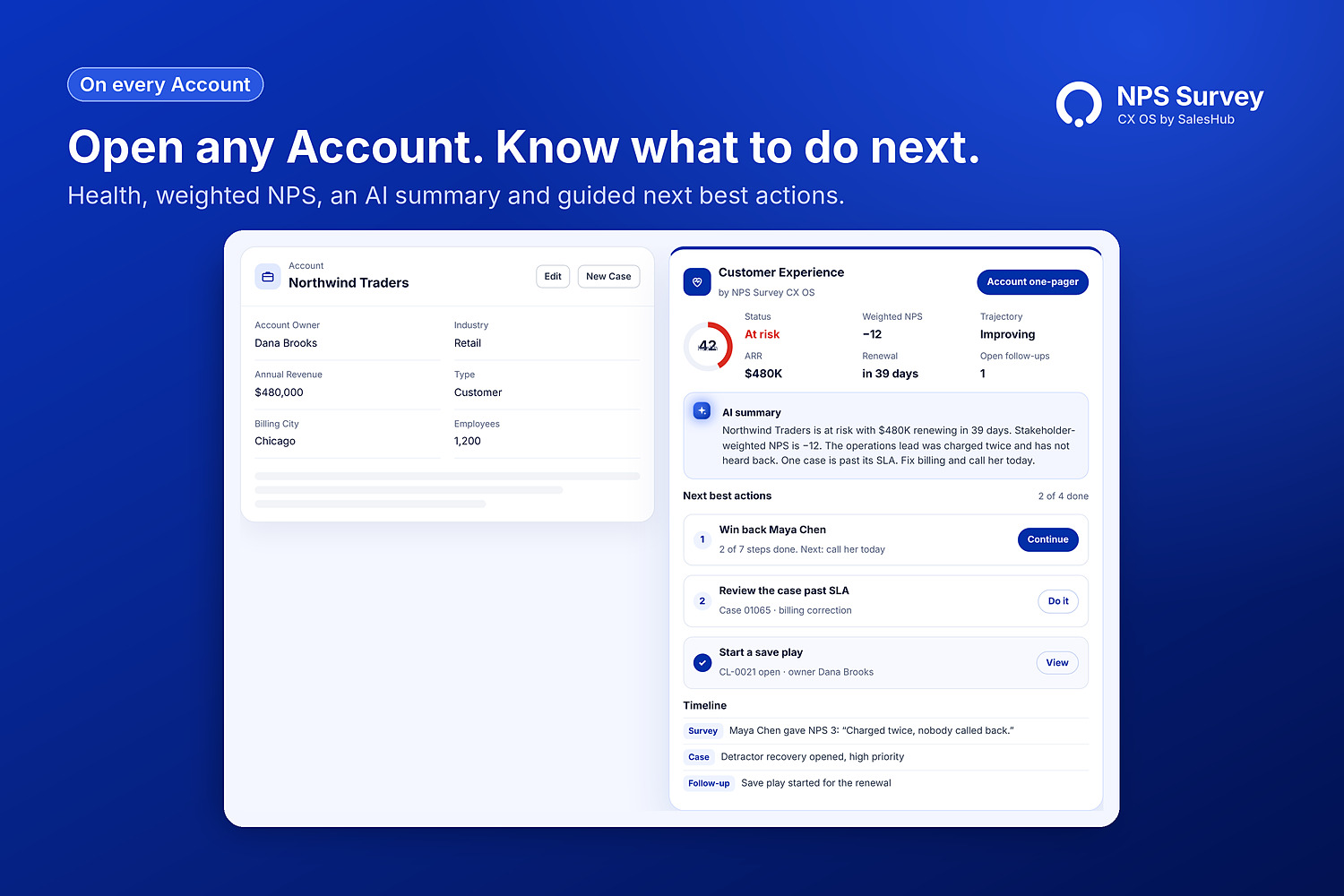
Open any Account. Know what to do next.
The business problem
Before a renewal or a QBR, account managers dig through cases, survey answers and notes in five places, or walk in without them.
How it works
- Open any Account or Contact
- See health, weighted NPS, renewal date and trajectory
- Read the AI summary in plain English
- Work the next best actions: win back, review a case, start a save play
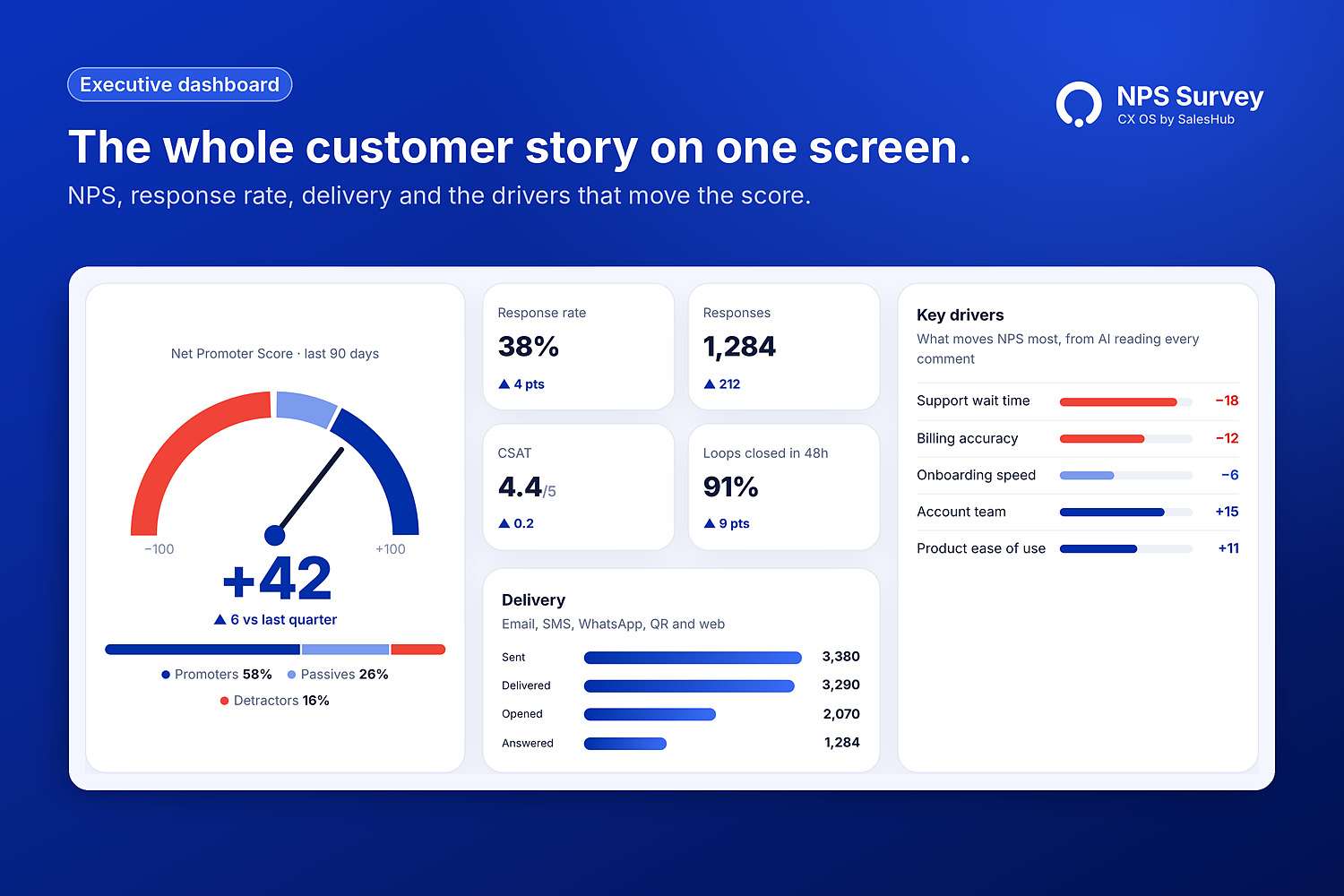
The whole customer story on one screen.
The business problem
Leaders get one NPS number each quarter, but not why it moved, or whether anyone is following up.
How it works
- NPS, CSAT, response rate and loops closed in one view
- Key drivers show what moves the score, from AI reading every comment
- Delivery from sent to answered, across email, SMS, WhatsApp, QR and web
- Slice by account, contact, region, manager and month
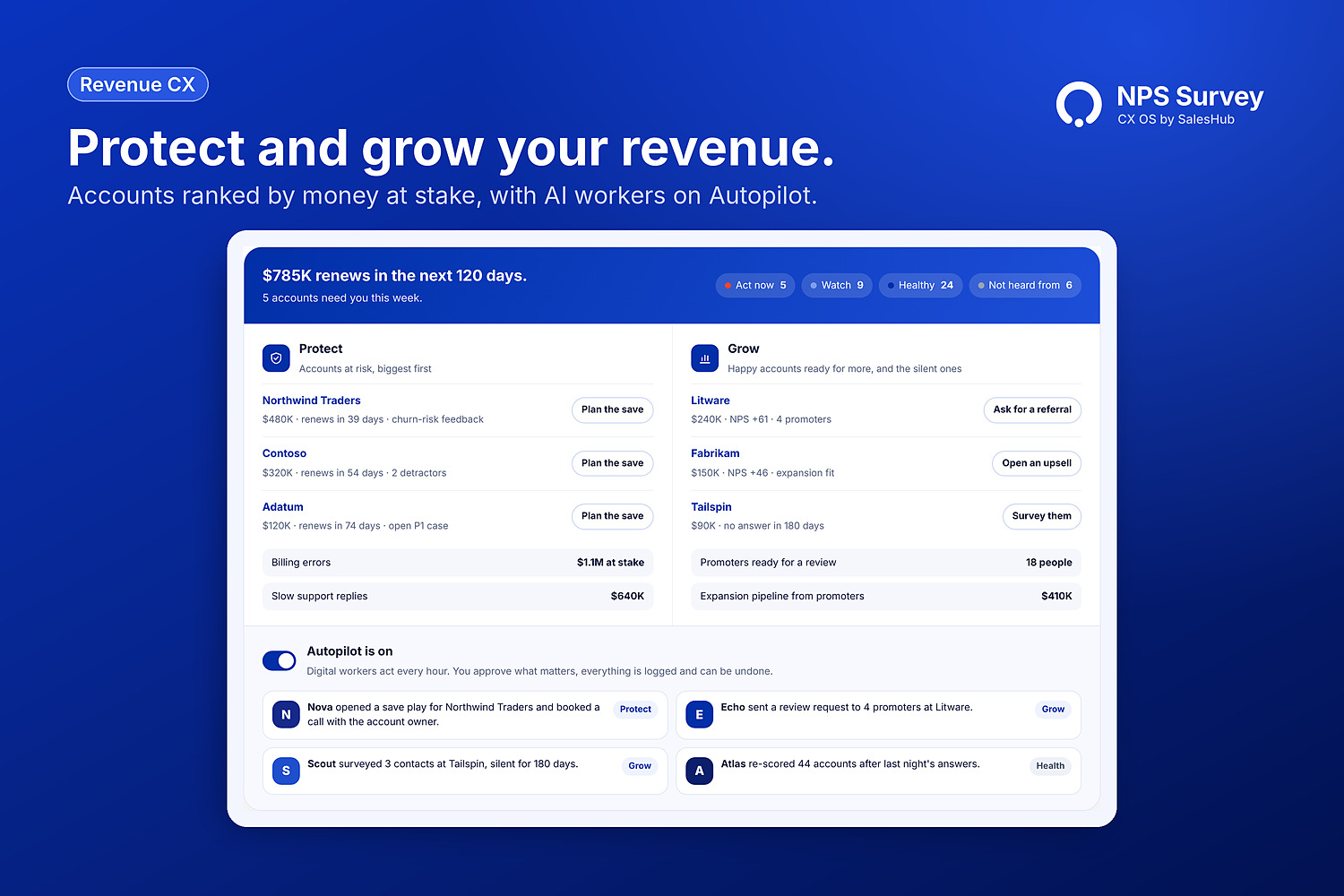
Protect and grow your revenue.
The business problem
Renewals at risk often show up in the last month of the contract. Happy accounts that are ready to grow never get asked.
How it works
- Feedback, renewal dates and contract value side by side
- Accounts sorted into Act now, Watch, Healthy and Not heard from
- Protect: a save plan for each renewal at risk
- Grow: referral and upsell asks for happy accounts
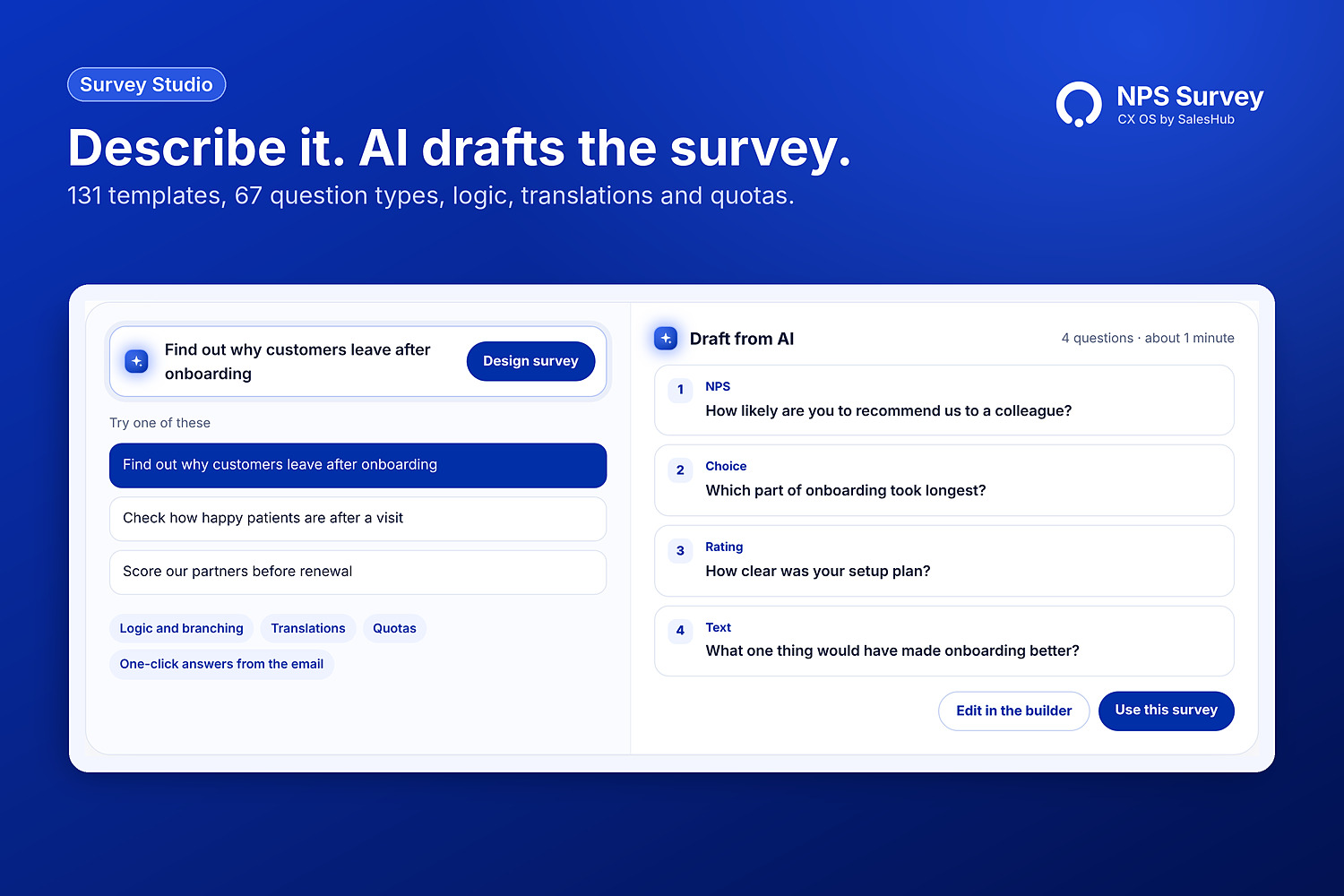
Describe it. AI drafts the survey.
The business problem
Writing a good survey takes days of back-and-forth, and badly worded questions give you data you can't use.
How it works
- Describe the goal in one sentence
- AI drafts the questions
- Or start from 131 templates and 67 question types, with logic, translations and quotas
- Edit in the builder or use it as is
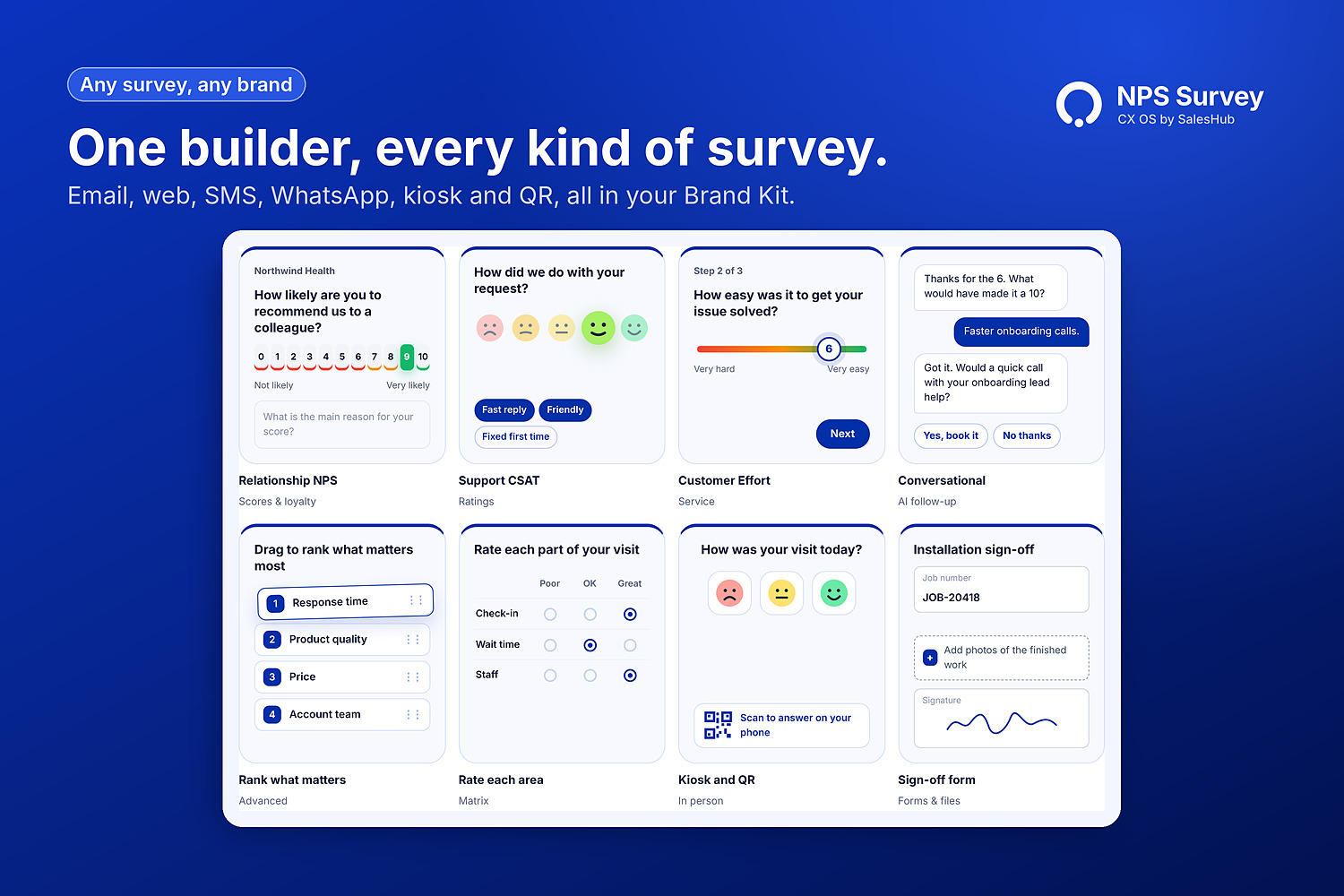
One builder, every kind of survey.
The business problem
NPS in one tool, a kiosk survey in another, paper forms in the field. The answers never meet, and the brand looks different everywhere.
How it works
- Relationship NPS, support CSAT, customer effort and conversational surveys
- Rank, matrix, kiosk, QR and sign-off forms
- Send by email, web, SMS, WhatsApp, kiosk and QR
- Every answer lands in the same Salesforce org
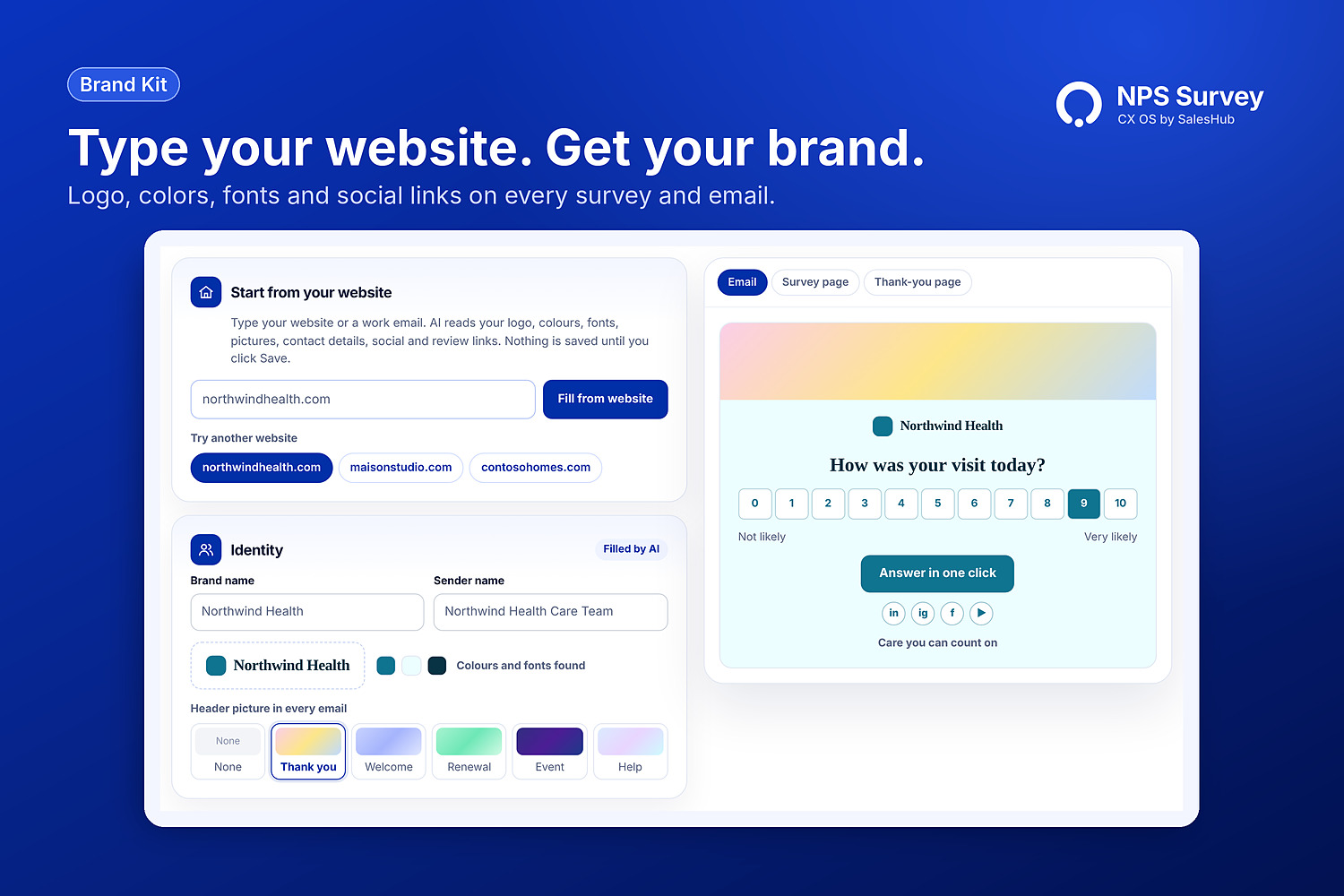
Type your website. Get your brand.
The business problem
Off-brand surveys look like spam and get ignored. Designing each one takes time your team doesn't have.
How it works
- Type your website address
- AI fills in your logo, colors, fonts and social links
- Pick a header picture for each kind of email
- Every survey, email and thank-you page uses your brand
Every customer, in their own language.
The business problem
Ask in the wrong language and whole regions go quiet in your data. Ten copies of the same survey are hard to keep in sync.
How it works
- Build one survey
- Add translations
- Each contact's language picks the version they get
- Answers roll up into one comparable score
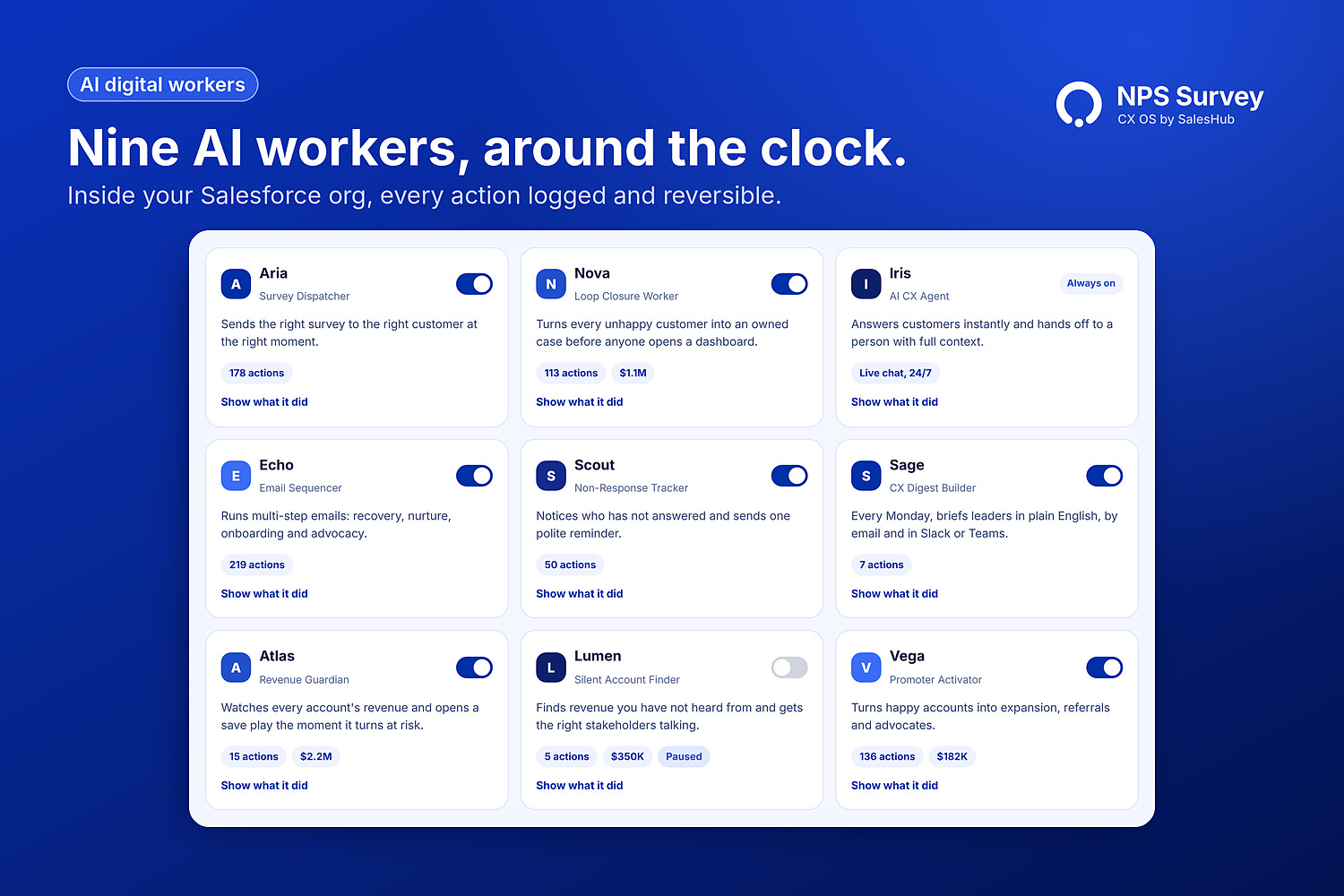
Nine AI workers, around the clock.
The business problem
Small teams can't follow up on everything. Reminders, recovery emails and weekly digests pile up.
How it works
- Nine AI workers, each with one job: send surveys, close loops, chase non-responders, find silent accounts and more
- Switch each one on or off
- They run inside your Salesforce org
- Every action is logged and can be undone
Surveys that send themselves, with reminders.
The business problem
Manual survey sends get forgotten, and a single email with no reminder leaves many customers unheard.
How it works
- Choose the Salesforce event and the filters
- Send instantly or on a schedule
- Reminders go only to people who haven't answered, 24 hours apart, up to your limit
- See every trigger and switch it on or off in one panel
Every trigger, user and email, in one place.
The business problem
Admins juggle permission sets, triggers and email templates across many setup screens, and nobody knows what is switched on.
How it works
- App Access Manager: users, permission sets and licenses
- Trigger Control Panel: every trigger's status, on or off
- Email Library: search, readiness and where each email is used
- Survey Response Analytics: filters, summaries and account breakdowns
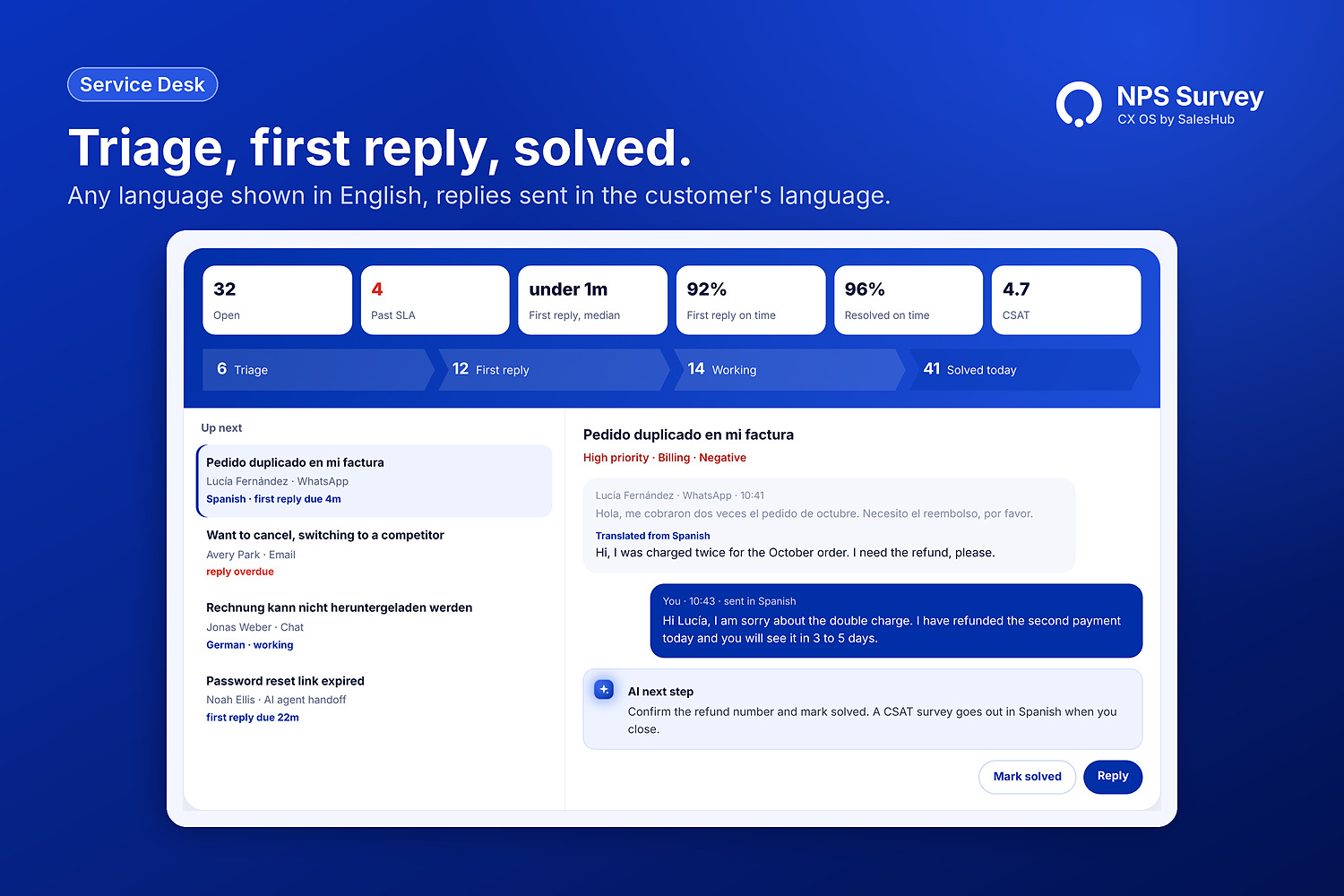
Triage, first reply, solved.
The business problem
Support requests arrive in many languages and channels. First replies are slow, and SLAs slip.
How it works
- Requests arrive by email, chat and WhatsApp
- Any language is shown in English
- AI suggests the next step and a reply
- Replies go back in the customer's language, and a CSAT survey follows when solved
Register, check in, ask how it went.
The business problem
Registrations live in one tool, the door list in a spreadsheet, and the follow-up survey goes out a week late.
How it works
- A branded registration page
- A confirmation with add-to-calendar buttons
- QR check-in at the door
- A thank-you survey to everyone who came, the same day
Product screens are from the NPS Survey CX OS listing on Salesforce AppExchange; names and numbers in them are sample data. Pricing: one price per Salesforce org per year, from $3,500, with a 7-day free trial.
Close the loop on every score
NPS, CSAT and CES surveys that send themselves, land on the record and give every unhappy customer an owner, 100% inside Salesforce.
Start the free trial →Book a demo →